Interface Tour
The Reemo interface proposes three main areas:
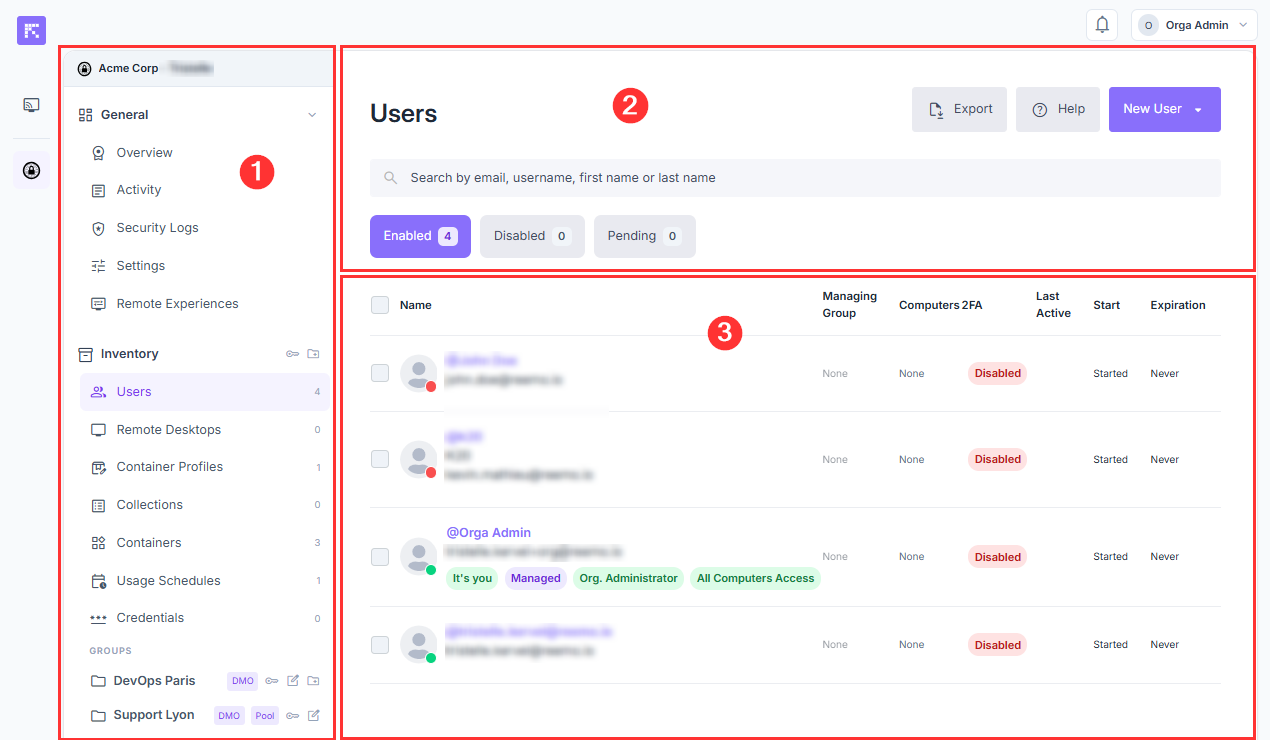
Overview of the organization management interface.
Your organization navigation interface: Here you can navigate through the different menus to manage your organization, users, workstations, and advanced settings. A Groups section also appears if you have created groups in your organization.
Filters and actions: Search, filter, add, and export your resources.
Page content: Contains the list of your users, resources, and settings.
Retrieve your Studio Key
The Studio Key is your organization’s unique identifier. You will need to provide it when deploying your workstations.
To access it, select your organization, then click the key icon that appears next to the Inventory group. A window opens and lets you copy the key.
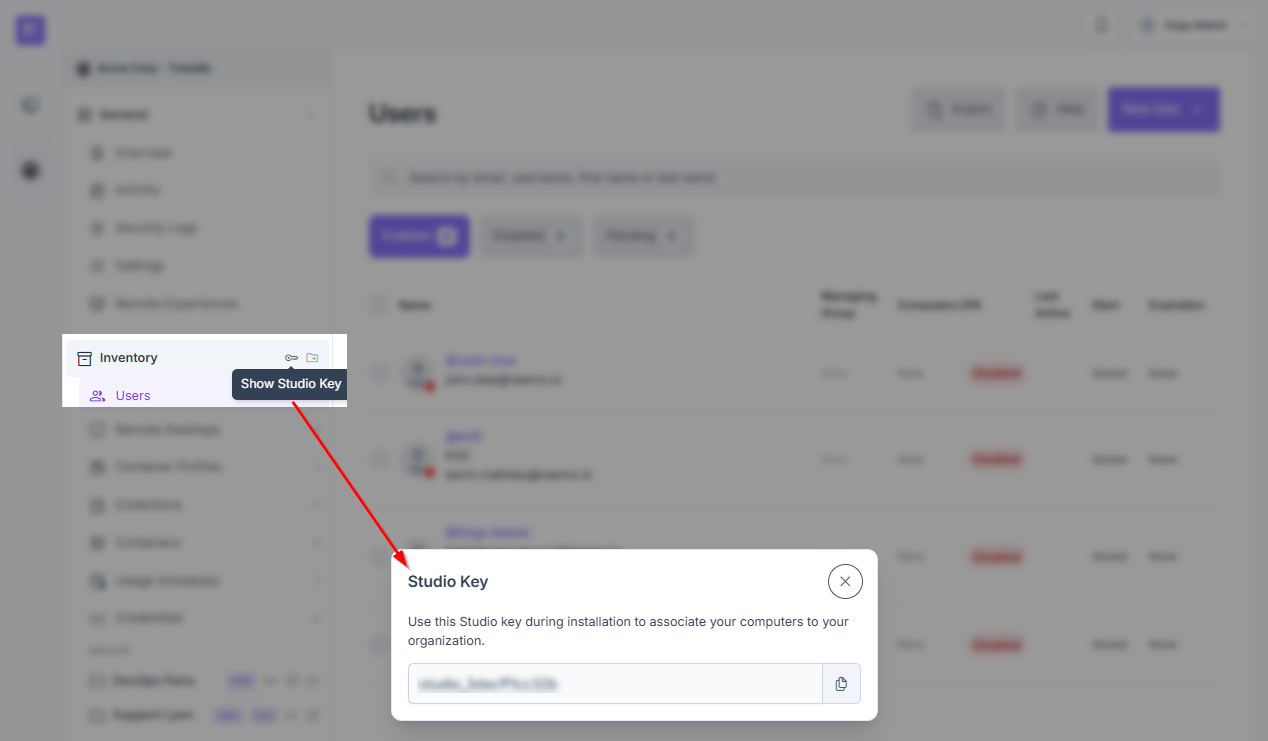
Displaying the Studio Key to link it to your organization.