Initial Environment Setup
Creating the First Administrator
After installing your Reemo instance, the first step is to create an Instance Administrator account. This account will serve as the entry point for global platform administration.
To configure this first administrator account, navigate to the following URL on your portal:
https://<your-domain>/register/admin
Note
If you have enabled a dedicated administration portal, you must connect to this portal using the following URL:
https://<your-admin-portal>/register/admin
to properly register the first administrator account.
Note
If you have not declared a domain, you can use your portal’s IP address:
https://<ip>/register/admin
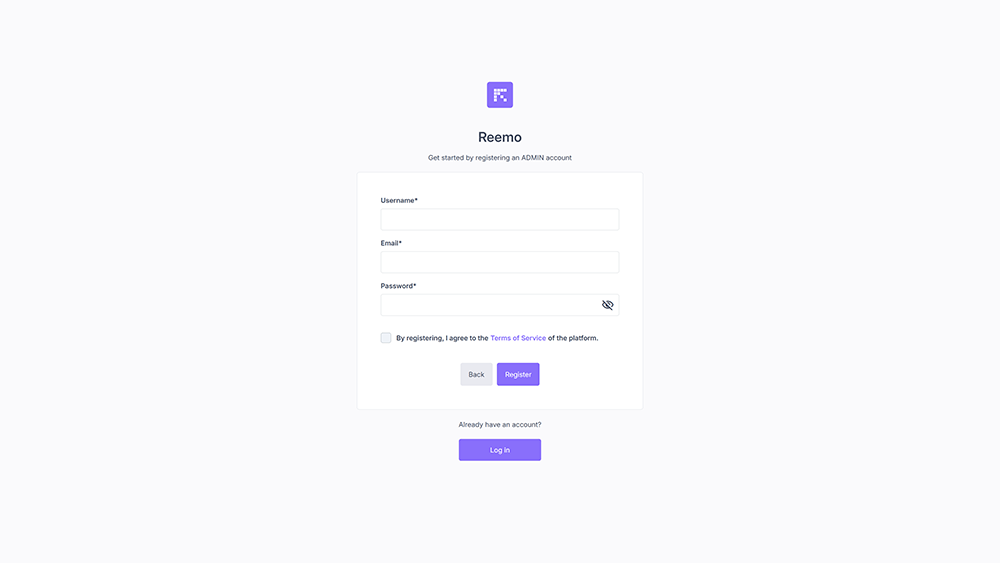
First administrator account creation form
Fill in the required fields:
Username: Unique identifier for the administrator.
Email: Administrator’s contact address.
Password: Password associated with the account.
Once the form is submitted, the administrator account is created and the /register/admin route is automatically disabled for security reasons.
It will no longer be possible to recreate an administrator from this page.
Creating an Organization
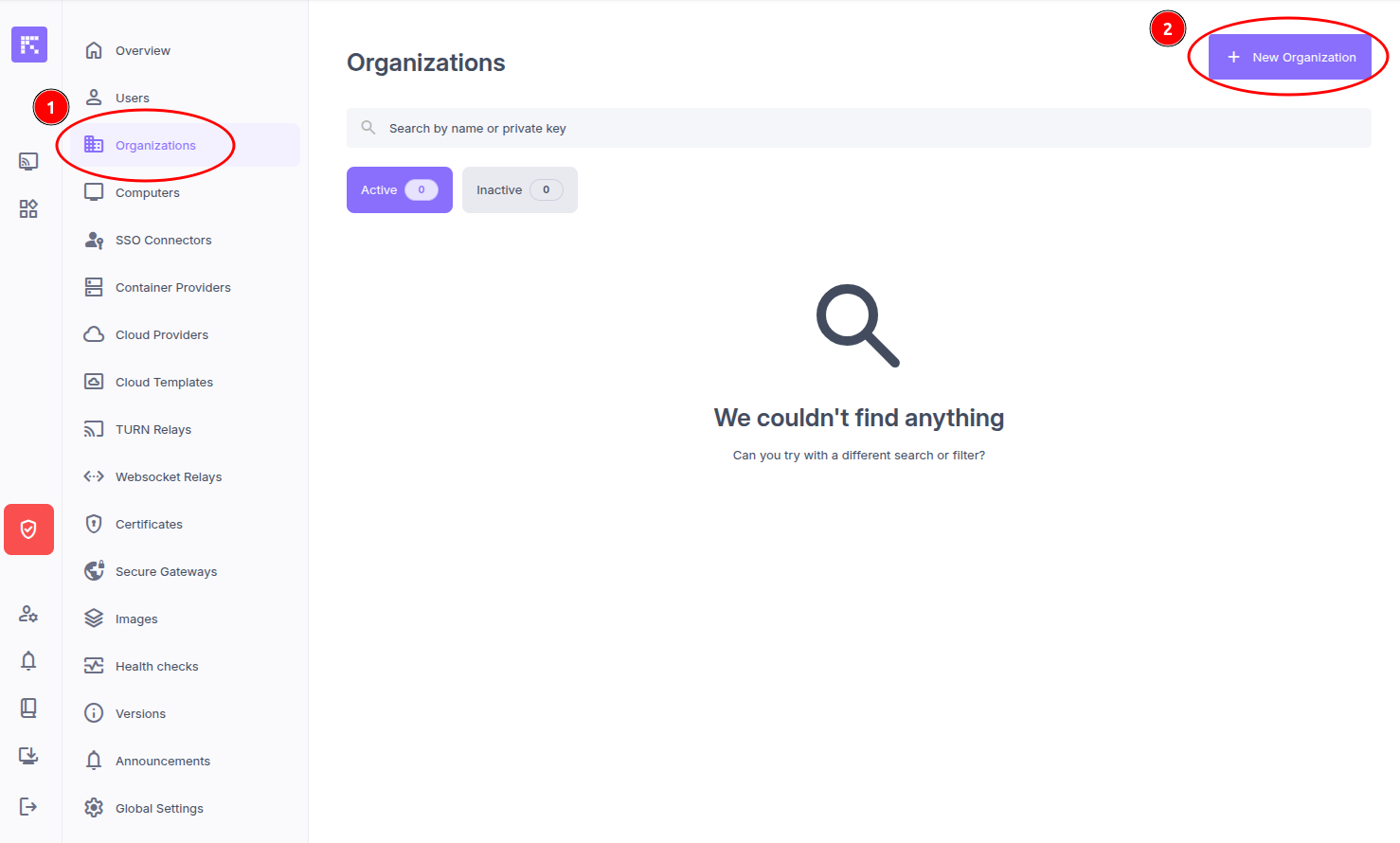
Click on the Admin Area menu, then on Organizations, and finally on the New Organization button.
Fill in the following fields:
Name: Name of the organization.
Short Name: Name used to dedicate containers to this organization.
Features: Select Containers.
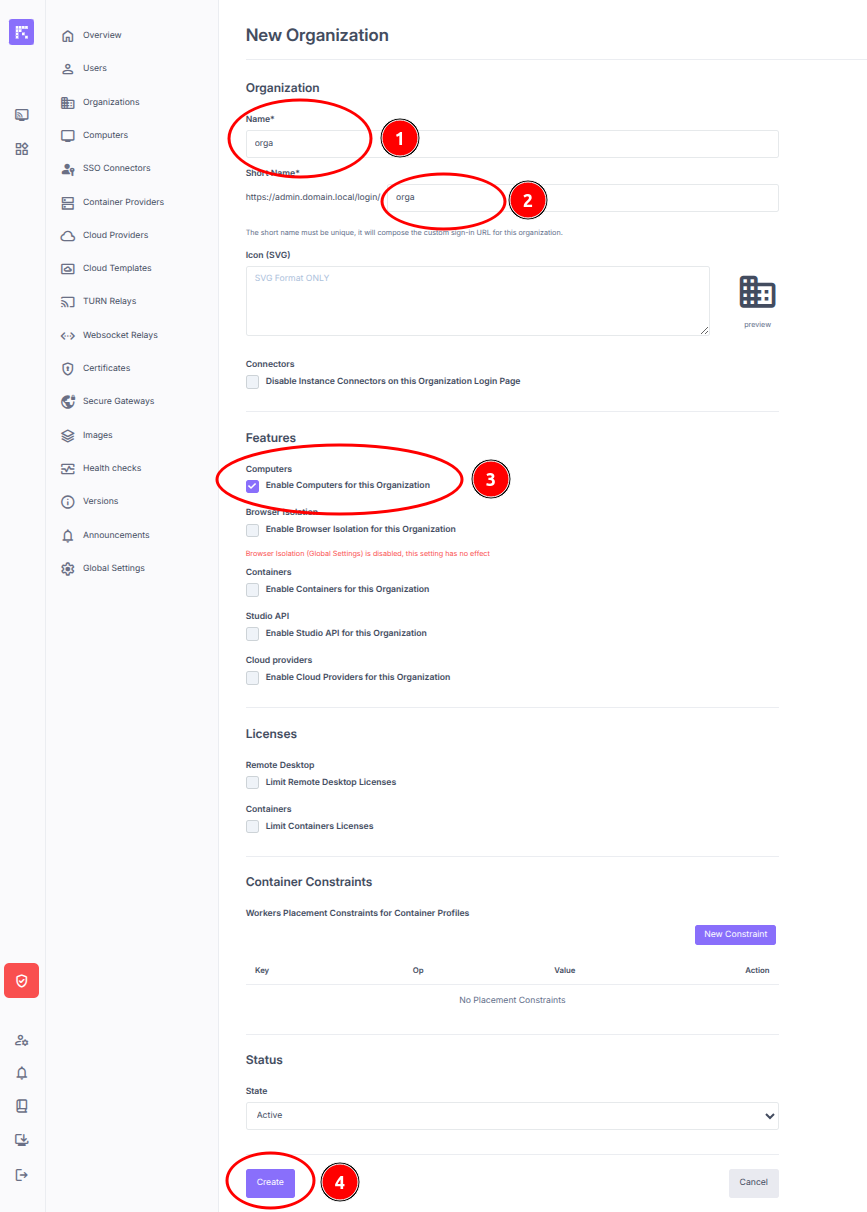
Submit the form by clicking on Create.
Creating the First User
Still within the same organization, click on the Users menu, on the New User button, and then on New Managed User.
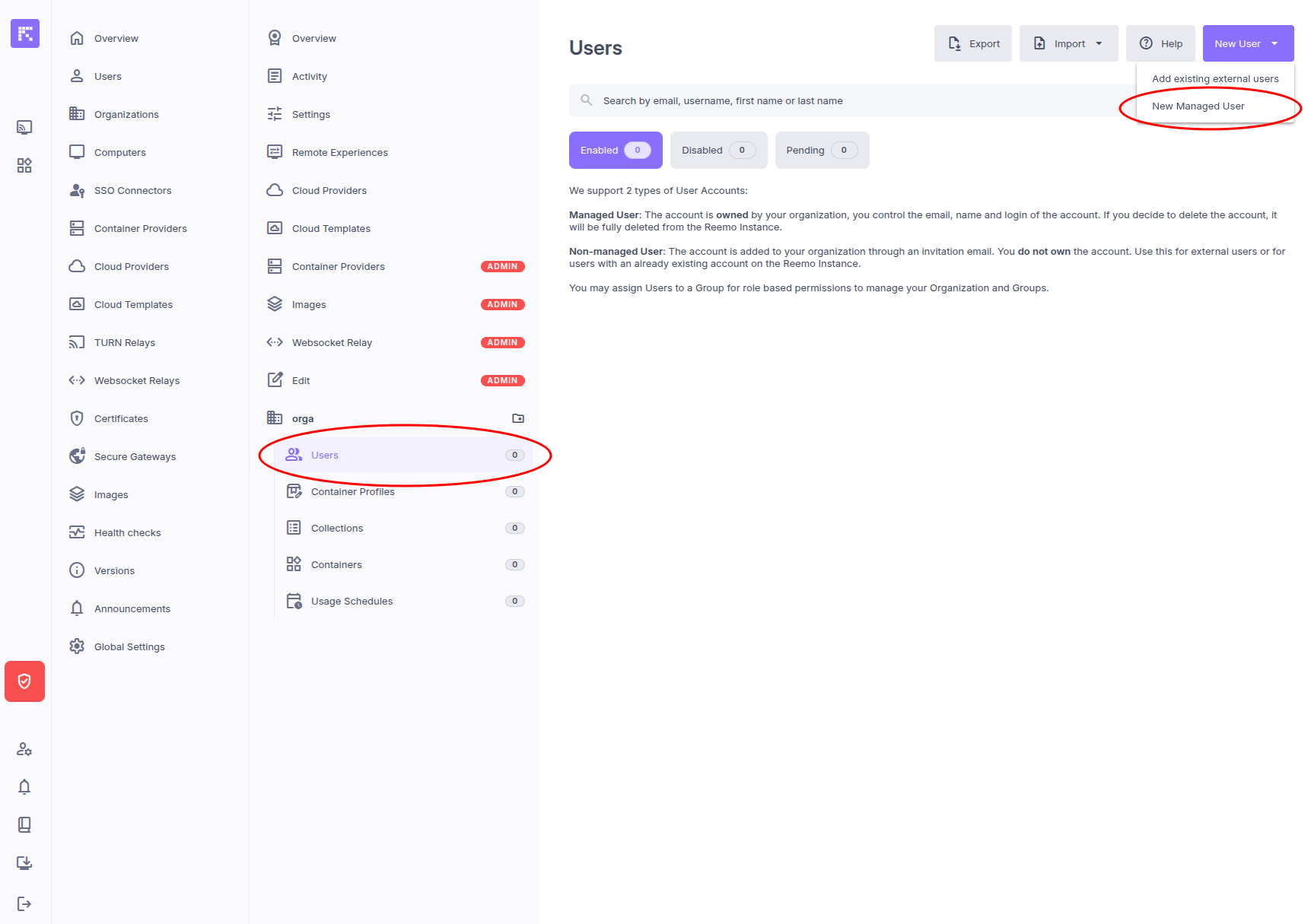
Fill in the necessary information for your user.
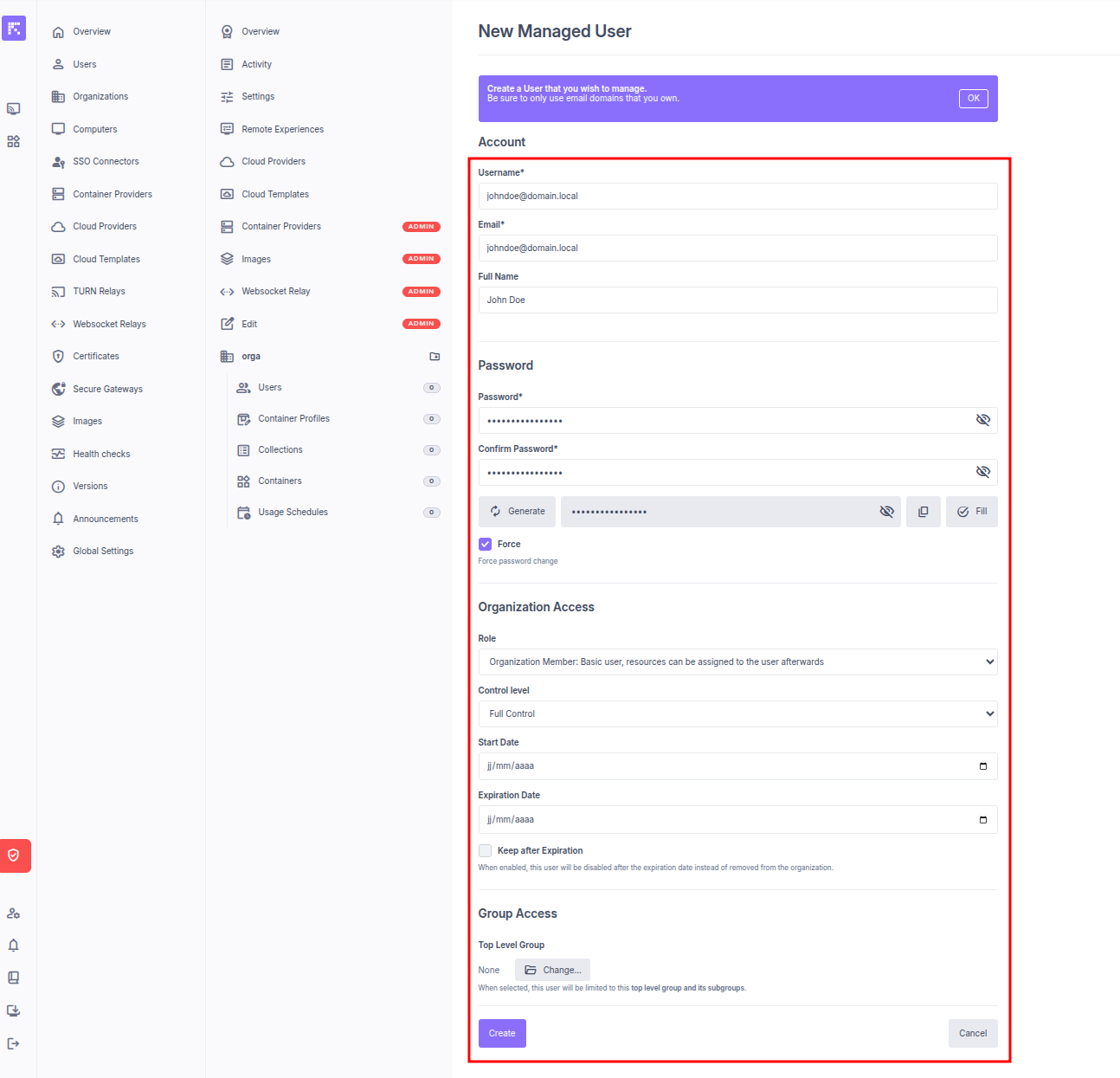
Click on Create to submit.
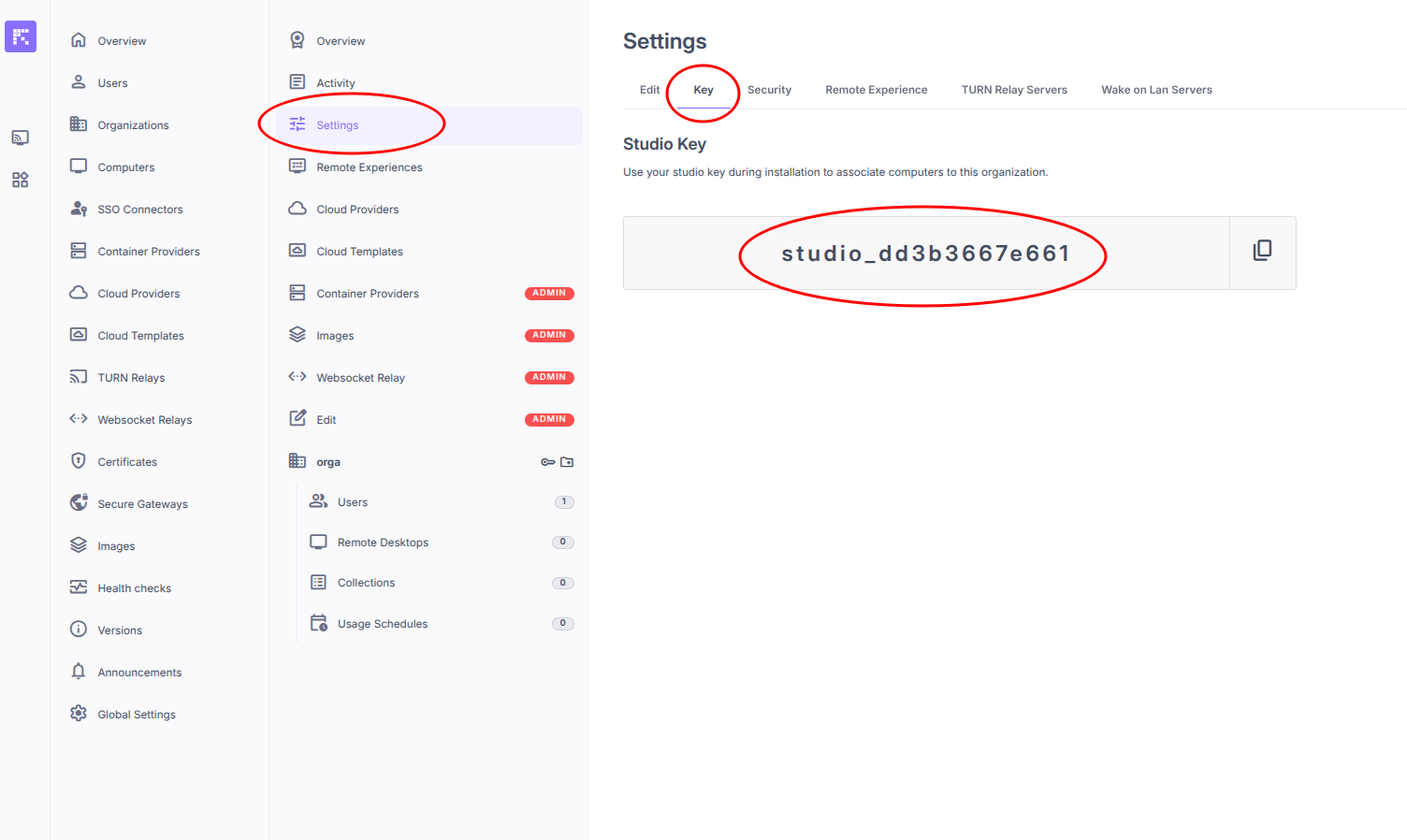
Retrieving your Studio Key
In the organization’s Settings menu, go to the Key tab.
Installing the Reemo Agent on Machines
Follow the various guides available in the Reemo Agent menu of the documentation.
Configuring the reemo.ini File
Configure the reemo.ini file with the following information:
[auth]

token=<your_studio_key>

[signal]

server=<signal_server_url_or_ip_address_if_single_server>:8443