Standard Appliance Deployment
This tutorial guides you step-by-step through the deployment of your Reemo appliance on a single machine. Ensure you have validated the hardware and network prerequisites before starting.

Step 1: Create the provider in the portal
Declare your infrastructure in the Reemo portal to obtain your configuration.
From the Instance Administration Console, go to Container providers.
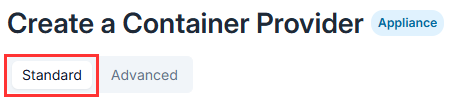
Click New provider > Appliance mode provider. Standard mode is enabled by default.
Fill in the required information, such as the provider’s name and visibility.
(Optional) If you have enabled other specific settings (such as custom signaling servers), click Next and follow the interface prompts to configure these additional screens.
Click Create to validate.
Step 2: Retrieve the configuration file
Open the newly created provider’s page.
Click the Generate appliance configuration button.
(Optional) Provide a custom certificate in the modal if your company requires it.
Click Download. The
config.jsonfile will download to your workstation.Transfer this file to the target host server(s) (in the directory from which you will run the installation).

Step 3: Verify connectivity on the server
Connect via SSH to your host server and run these quick tests to confirm that your outbound flows are properly opened:
curl -k --connect-timeout 5 https://preprodreemo.cloud.reemo.io:8444/
curl -I --connect-timeout 5 https://registry.reemo.io/v2/
nc -zv turn.cloudflare.com 3478
If any command fails (timeout), fix your firewall before proceeding.
Step 4: Run the installation
curl -fsSL https://download.reemo.io/appliance/appliance.sh | sudo bash -s -- \
  -u YOUR_USERNAME \
  -p YOUR_PASSWORD \
  install
These credentials allow your appliance to fetch sandbox images (chromium, ssh, etc.) from the Reemo registry.
Step 5: Verification
Once the installation is complete, check the status:
sudo bash appliance.sh status
You should see all three services in a running state:
[✓] applianceprovision : running ✓
[✓] applianceproapi    : running ✓
[✓] applianceproxy     : running ✓
Return to the Reemo portal. Your appliance should now appear with the Active status.
Next step: Operations and Maintenance
Now that your appliance is functional, consult the maintenance guide to manage its lifecycle (updates, logs, advanced options).