Create the First Administrator Account
After installing your Reemo instance, the first step is to create an Instance Administrator account. This account will serve as the entry point for the global administration of the platform.
Creating the First Administrator
To configure this first administrator account, go to the following URL of your portal:
https://<your-domain>/register/admin
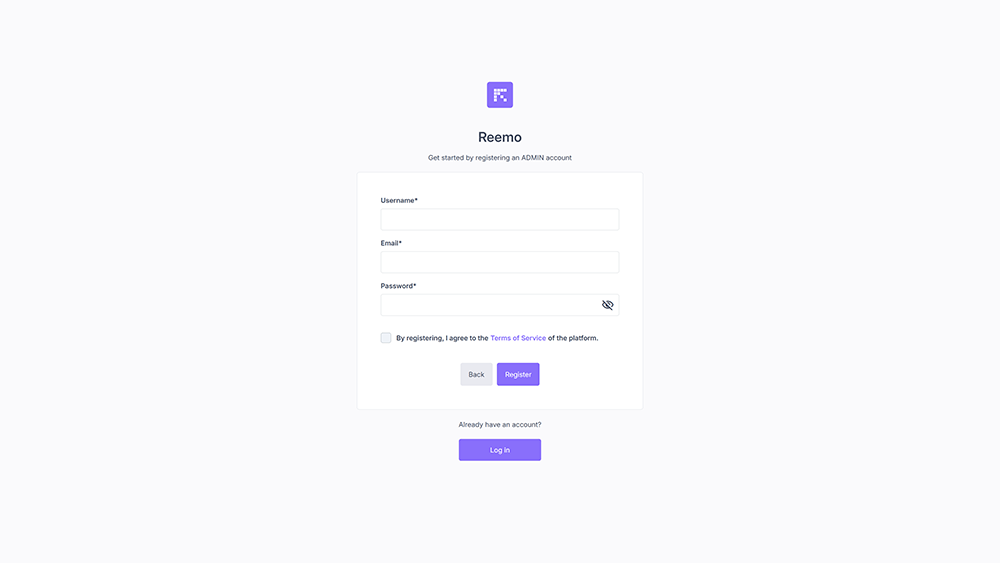
Form to create the first administrator account
Fill in the required fields:
Username: unique identifier of the administrator
Email: contact address of the administrator
Password: password associated with the account
Once the form is submitted, the administrator account is created and the /register/admin route is automatically disabled for security reasons.
It will no longer be possible to recreate an administrator from this page.
Note
If you have enabled the concept of a dedicated administration portal, you must connect to this portal via the URL:
https://<your-admin-portal>/register/admin
in order to properly declare the first administrator account.
Next Steps
Once this account is created, you can:
Create additional instance administrators if necessary,
Start configuring organizations, users, and resources.