Security Logs
The Security Logs display the history of security and administration actions performed within your organization (group creation/updates, user sign-ins, resource management, etc.).
Access: domain Organization > dashboard General > local_police Security Logs.
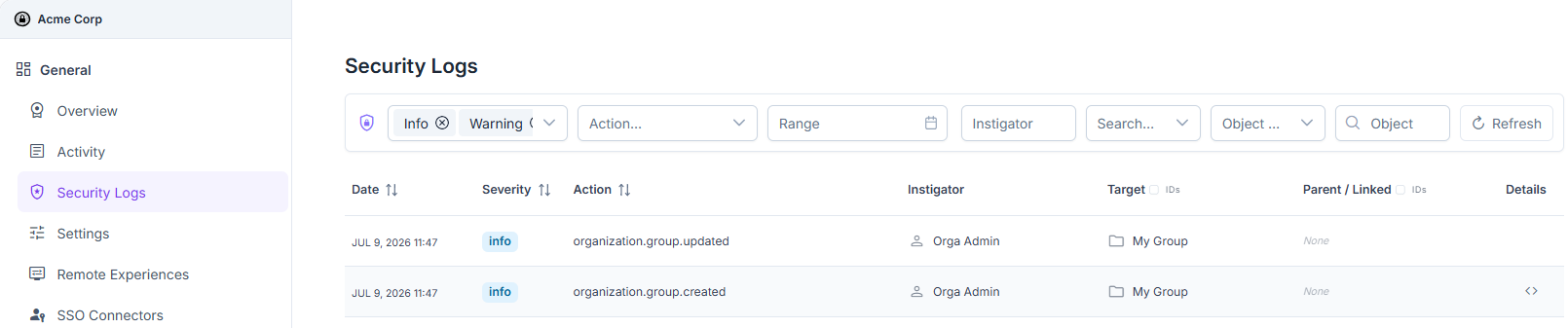
Organization security logs.
The displayed columns are:
Date: date and time of the event.
Severity: event level (Info, Warning, Critical).
Action: type of operation performed (e.g.
organization.group.created,user.signin.success).Instigator: user or account that triggered the action.
Target: resource affected by the action (group, user, etc.).
Parent / Linked: parent or linked resource related to the target, if applicable.
Details:
<>icon that opens the event’s metadata in JSON format.
See also
Security Logs (instance) — Details on search filters (Severity, Action, Range, Object Type…) and JSON metadata, common to all views (instance, organization, group).