Configure a SonicWall Firewall
Note
Step 1: Configure the TURN server
In Policies > Objects > Address Objects, add the following addresses:
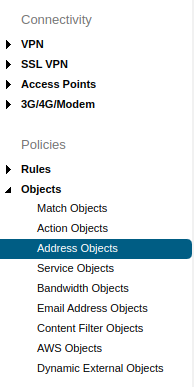
Address Objects.
- Reemo TURN:
Zone Assignment:
WANType:
FQDNFQDN Hostname:
turn.cloudflare.com
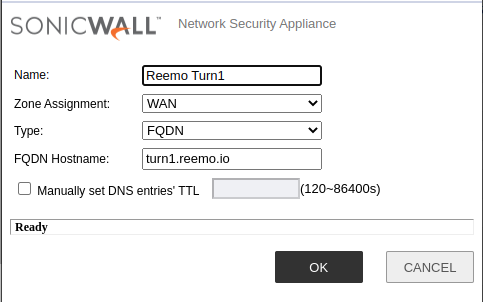
Adding the TURN address.
Next, add the required services:
- Service UDP 3478 (TURN):
Protocol:
UDP(17)Port Range:
3478-3478
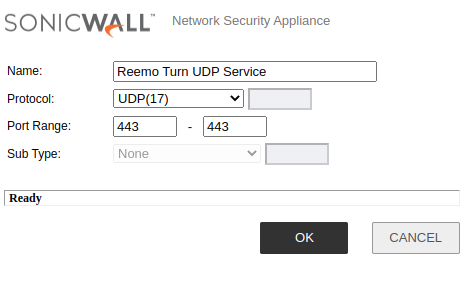
TURN UDP 3478 Service.
- Service UDP 58200 (TURN):
Protocol:
UDP(17)Port Range:
58200-58200
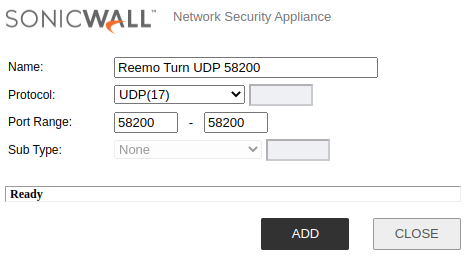
TURN UDP 58200 Service.
- Service TCP 3478 (TURN):
Protocol:
TCP(6)Port Range:
3478-3478
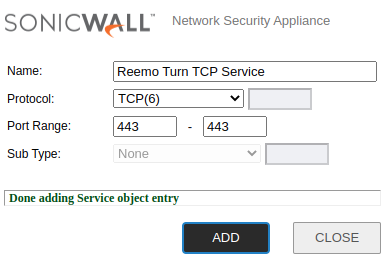
TURN TCP 3478 Service.
Create a Service Group combining these three services.
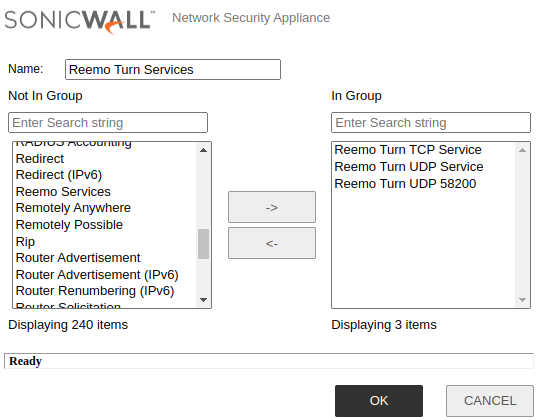
TURN Service Group.
Finally, configure the rules:
- Create an Access Rule to allow the TURN server with high priority:
Policy Name:
Reemo TURNAction:
AllowFrom:
LANTo:
WANSource Port:
AnyService:
Reemo TURN ServicesSource:
LAN SubnetsDestination:
Reemo TURNUsers Included:
All
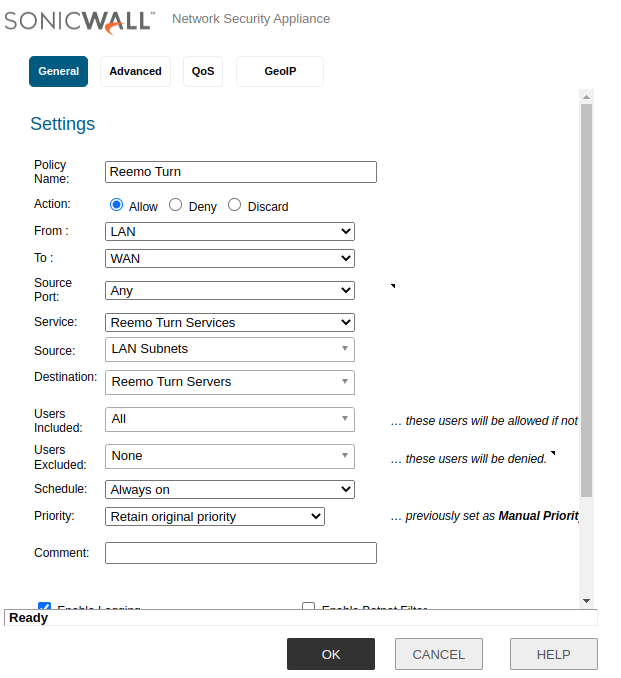
TURN Access Rules.
- Add a NAT Policy for the TURN server:
Name:
Reemo NAT TURN ServersOriginal Source:
LAN SubnetsOriginal Destination:
Reemo TURNOriginal Service:
Reemo TURN ServicesEnable NAT Policy:
checkedAdvanced > Disable Source Port Remap: checked
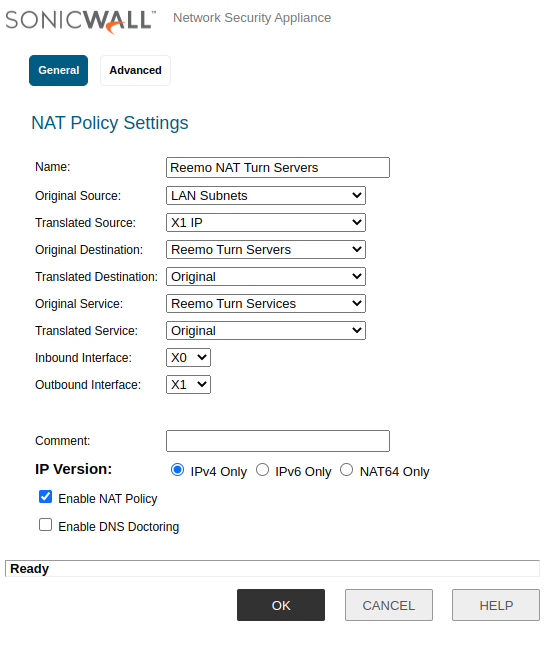
TURN NAT Policy.
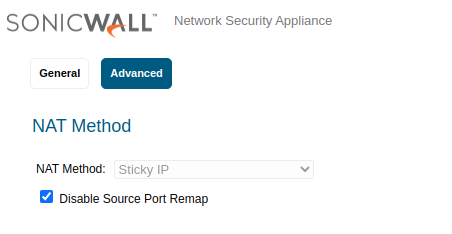
Disable Source Port Remap option.
Note
The Disable Source Port Remap option is essential to preserve the original source port and ensure optimal compatibility with Reemo.
Step 2: Configure the Reemo service
- Add a Service Object for the Reemo protocol:
Name:
Reemo ServicesProtocol:
UDP(17)Port Range:
58200-58400
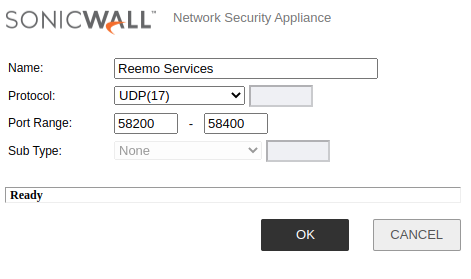
Reemo Service Object.
- Then create an Access Rule:
Policy Name:
Reemo ServiceAction:
AllowFrom:
LANTo:
WANService:
Reemo ServicesSource:
LAN SubnetsDestination:
AnyUsers Included:
All
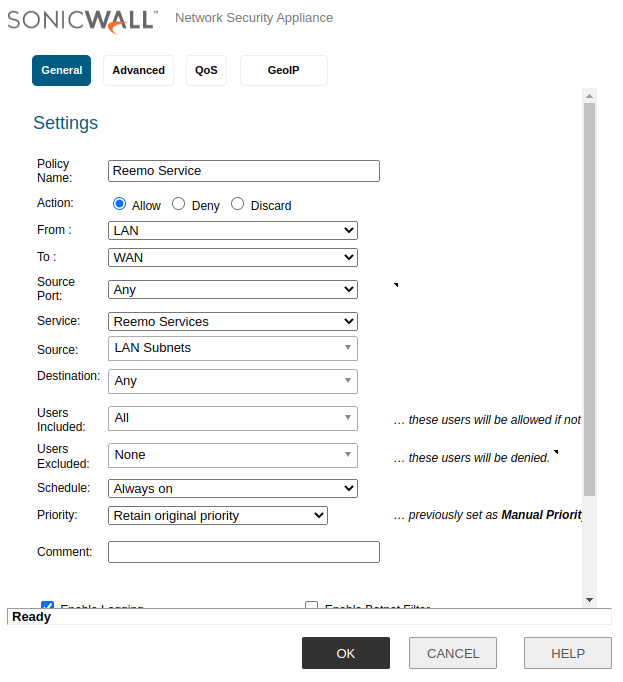
Reemo Access Rule.
- Finally, create an associated NAT Policy, with high priority:
Name:
Reemo Service NATOriginal Source:
LAN SubnetsOriginal Destination:
AnyOriginal Service:
Reemo ServicesEnable NAT Policy:
checkedAdvanced > Disable Source Port Remap: checked
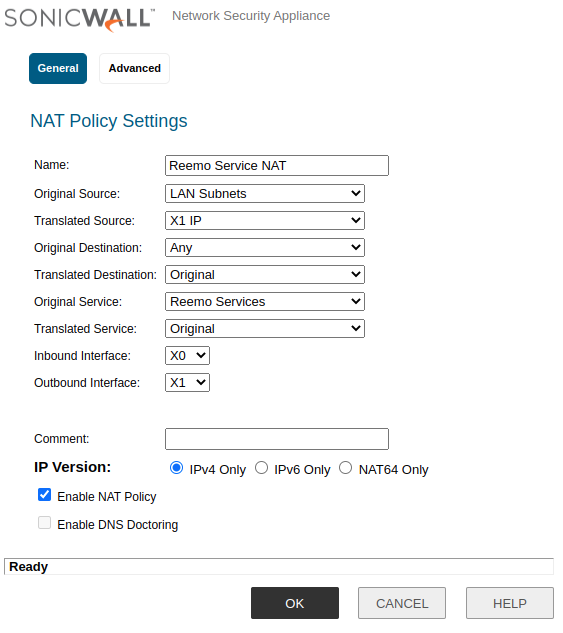
Reemo NAT Policy.
Disable Source Port Remap option.
Step 3: Extended UDP configuration for Reemo
- Add a Service Object specifically for UDP:
Name:
Reemo UDPProtocol:
UDP(17)Port Range:
1024 - 65535
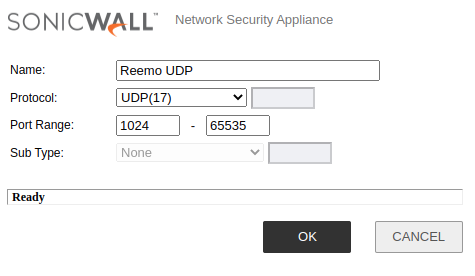
Reemo UDP Service.
- Create an Access Rule:
Policy Name:
Reemo UDPAction:
AllowFrom:
LANTo:
WANSource Port:
Reemo Services(58200–58400)Service:
Reemo UDP(1024–65535)Source:
LAN SubnetsDestination:
AnyUsers Included:
All
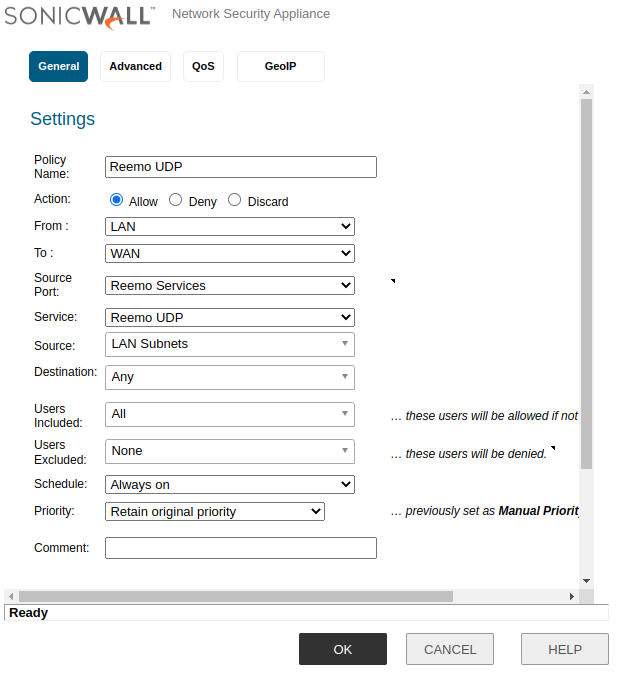
Reemo UDP Rule.
- Finally, create an associated NAT Policy:
Name:
Reemo UDP NATOriginal Source:
LAN SubnetsOriginal Destination:
AnyOriginal Service:
Reemo UDPEnable NAT Policy:
checkedAdvanced > Disable Source Port Remap: checked
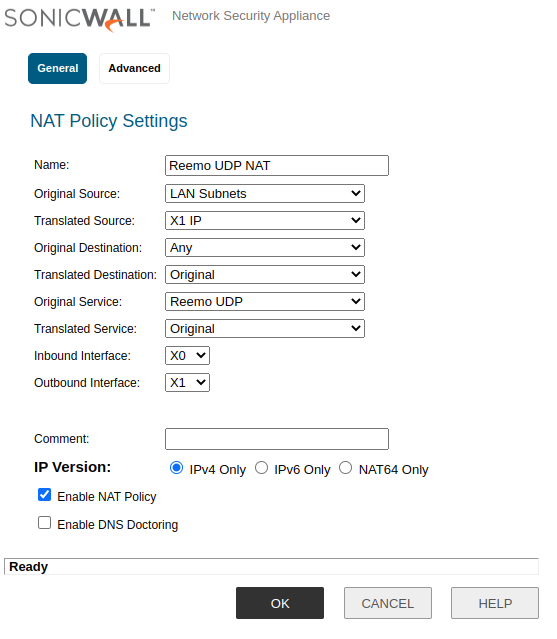
Reemo UDP NAT Policy.
Disable Source Port Remap option.
Configuration overview
Configured Rules:

Configured Rules Overview.
Configured NAT Policies:

Configured NAT Policies Overview.
Summary: Ports and addresses to open
Usage |
Protocol |
Ports |
Destination |
|---|---|---|---|
Signal server |
TCP/UDP |
443 |
|
TURN server |
TCP/UDP |
3478 |
|
TURN server (fallback) |
TCP/UDP |
443 |
|
Reemo Protocol In |
UDP |
58200–58400 |
Browser (client device) |
Reemo Protocol Out |
UDP |
1024–65535 (src 58200–58400) |
Remote computer (Reemo Agent) |