Configure a Juniper Firewall
Note
Step 1: Add the Reemo servers
In Security > Policy Elements > Zone Address Book, add the following addresses in the Internet zone:
- Reemo_TURN :
Type :
FQDNDomain Name :
turn.cloudflare.com
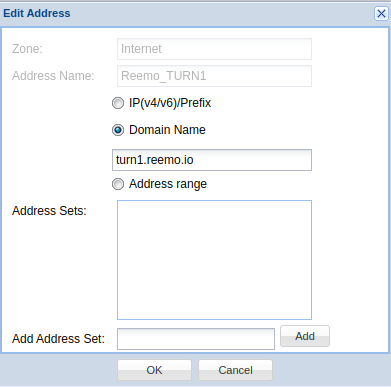
Add the TURN address in the Zone Address Book.
- Reemo_Signal :
Type :
FQDNDomain Name :
signal.reemo.io
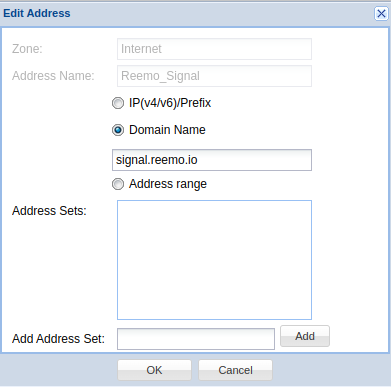
Add Signal address in the Zone Address Book.
Overview of addresses

Summary of configured addresses.
Step 2: Create Reemo applications (services)
In Security > Policy Elements > Applications, create the following custom applications:
- Reemo_TURN_3478 :
Protocol :
udpDestination Port :
3478
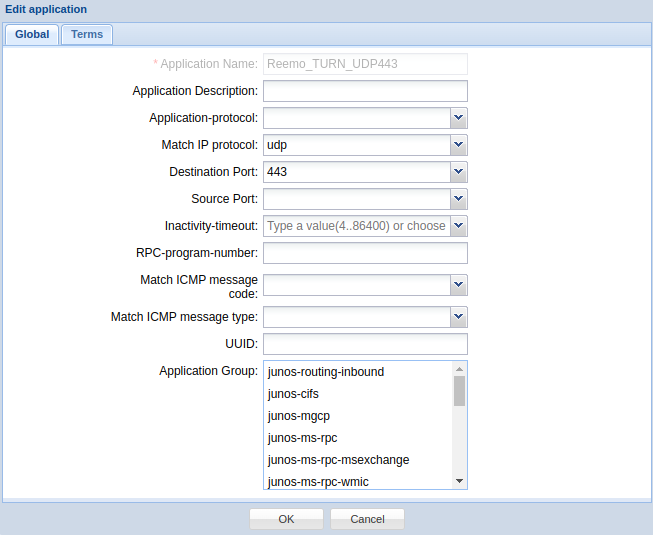
Custom application: TURN over UDP/3478.
Note
To also allow the TURN/TCP fallback, add a second term to this application with protocol tcp on the same port 3478 (Terms tab).
- Reemo_Protocol_out :
Protocol :
udpSource Port :
58200-58400
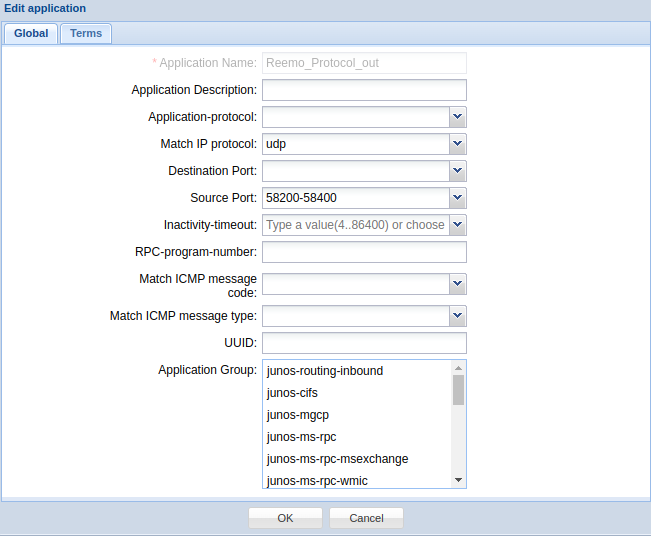
Custom application: outgoing flows from the Reemo Agent.
- Reemo_Protocol_in :
Protocol :
udpDestination Port :
58200-58400
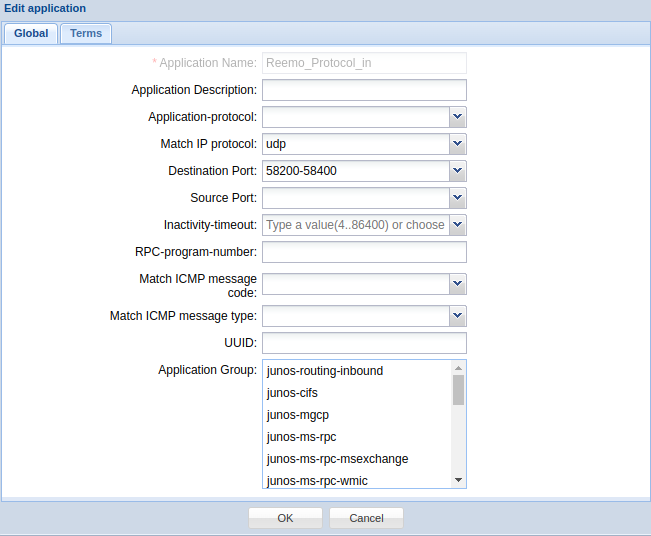
Custom application: incoming flows for the browser.
Overview of applications

Summary of configured applications.
Step 3: Create security rules
In Security > Security Policy, create the following rules:
Global rules
- Reemo_TURN :
From Zone :
internalTo Zone :
InternetDestination Address :
Reemo_TURNApplications :
Reemo_TURN_3478,junos-httpsAction :
permit
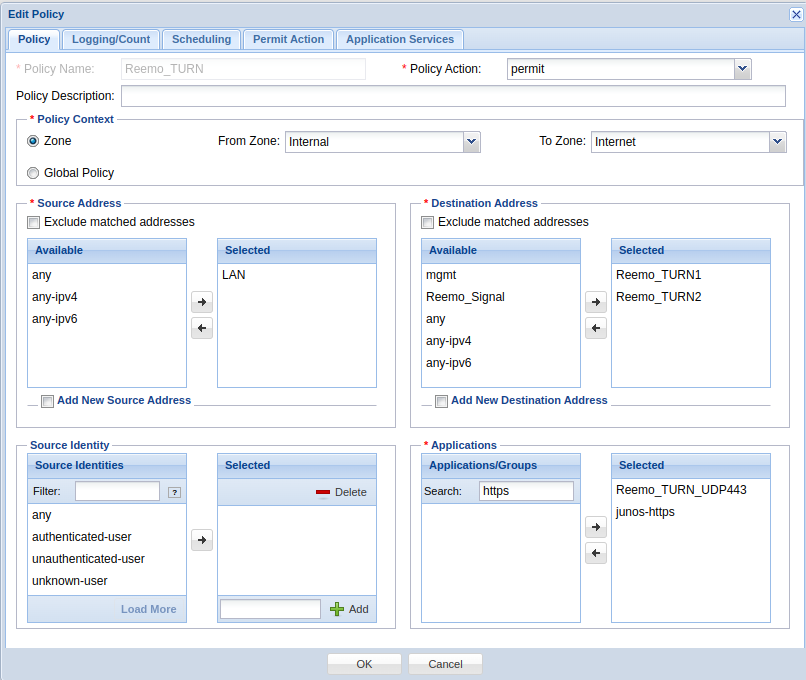
Allow TURN (UDP/3478) and HTTPS to the TURN server.
- Reemo_Signal :
From Zone :
internalTo Zone :
InternetDestination Address :
Reemo_SignalApplications :
junos-httpsAction :
permit
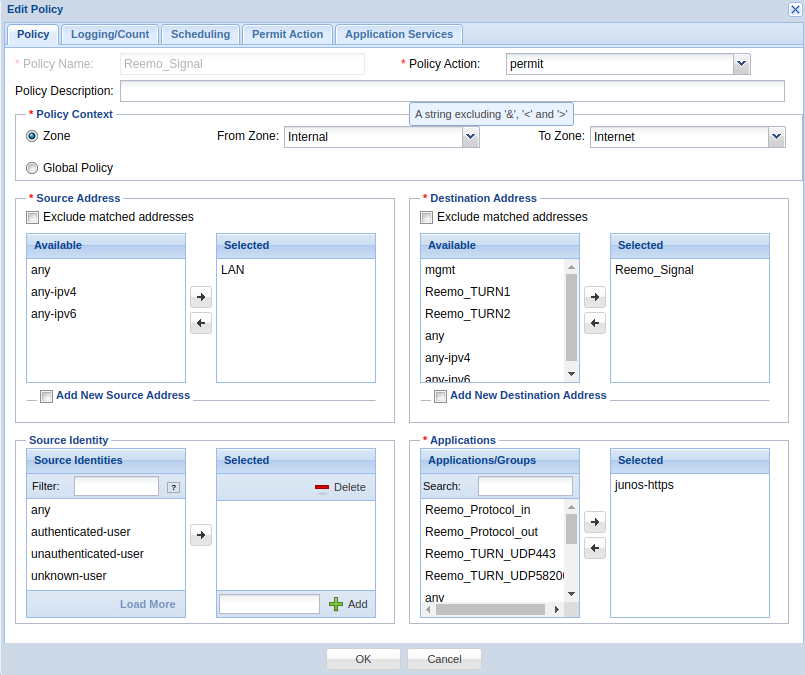
Allow HTTPS to the signaling server.
Rules for the remote computer (“Reemo Side”)
These rules concern the outgoing traffic generated by the remote computer running the Reemo Agent. They allow the machine to correctly communicate with the client browser via the UDP 58200–58400 range.
- ReemoAgent_out :
From Zone :
internalTo Zone :
InternetSource Address :
LAN(remote computer)Destination Address :
anyApplications :
Reemo_Protocol_outAction :
permit
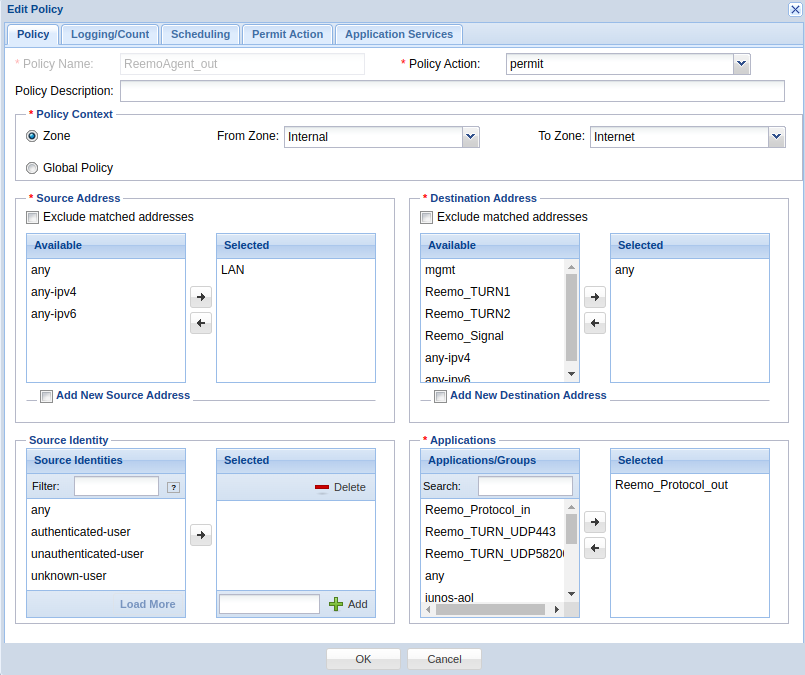
Allow outgoing flows from the Reemo Agent.
Rules for the browser (“Browser Side”)
These rules concern the incoming traffic on the browser side (the user’s workstation). They ensure that UDP 58200–58400 flows sent by the Reemo Agent properly reach the browser.
- ReemoAgent_in :
From Zone :
internalTo Zone :
InternetApplications :
Reemo_Protocol_inAction :
permit
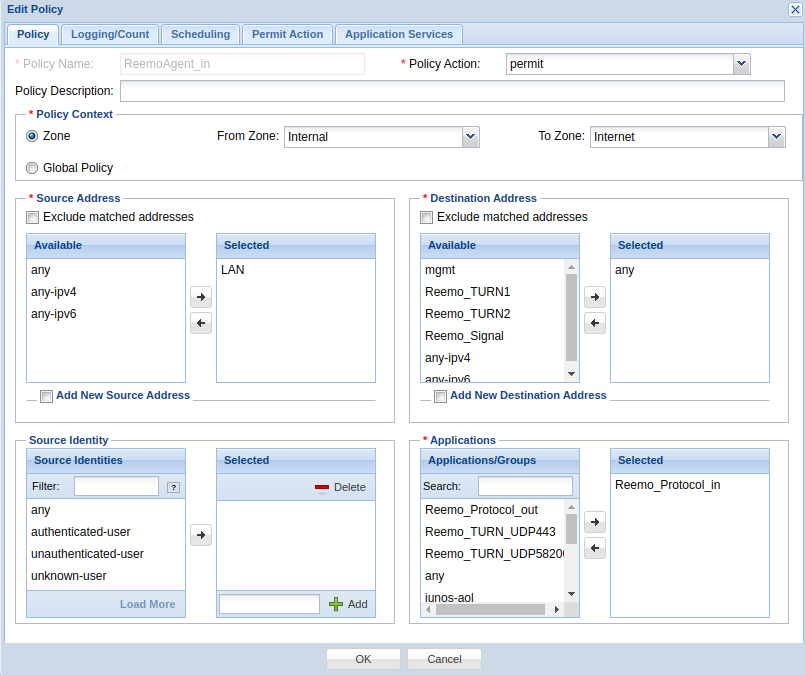
Allow incoming UDP flows on the browser side.
Overview of policies

Summary of configured policies.
Step 4: NAT configuration (recommended)
- To preserve performance in direct/udp, it is recommended to:
Disable source port overloading,
Enable persistent NAT behavior.
Open NAT > Source, then Global Settings.
Disable the Interface Port-Overloading option.
Add specific rules in the main Source Rule Set.
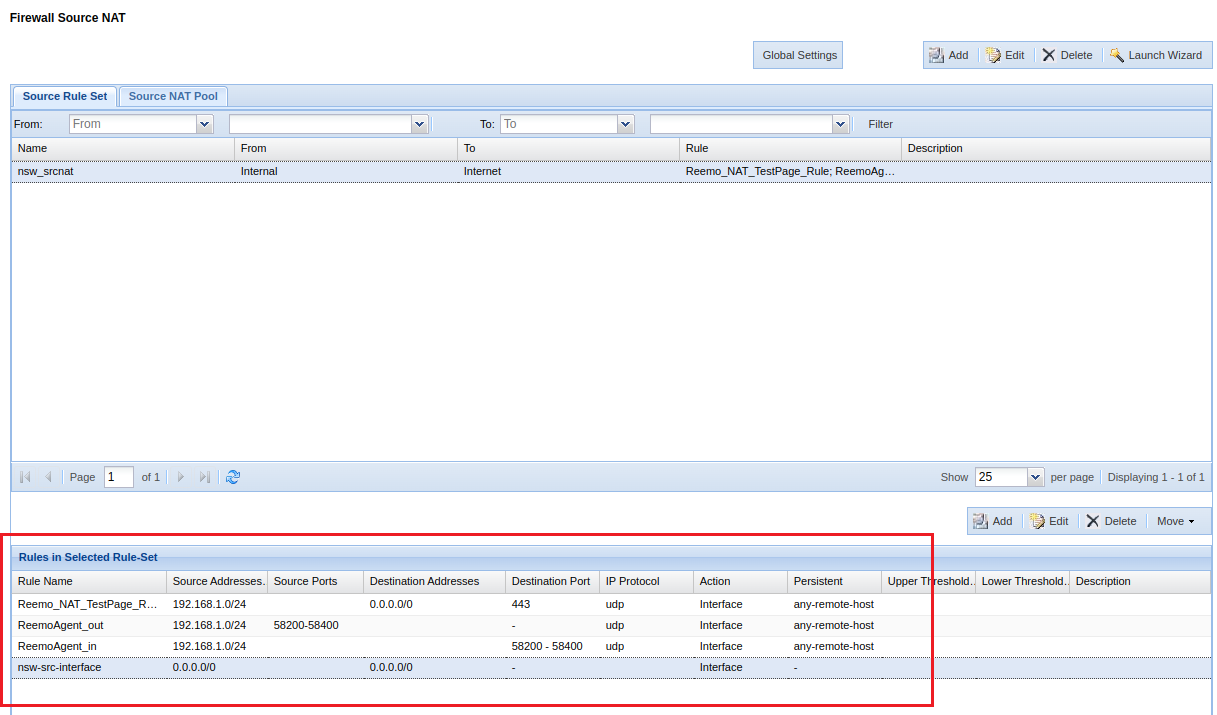
Example of NAT configuration.
NAT rule examples
- Reemo_NAT_TestPage_rule (Test to UDP/3478) :
Source :
your internal subnetProtocol :
udpPort :
3478Action :
Do Source NAT With Egress Interface Address+ Persistent
- ReemoAgent_out (Agent outgoing flows) :
Source :
your internal subnetProtocol :
udpPorts :
58200-58400Action :
Do Source NAT With Egress Interface Address+ Persistent
- ReemoAgent_in (browser-side incoming flows) :
Source :
your internal subnetProtocol :
udpPorts :
58200-58400Action :
Do Source NAT With Egress Interface Address+ Persistent
Summary: Ports and addresses to open
Usage |
Protocol |
Ports |
Destination |
|---|---|---|---|
Signal server |
TCP/UDP |
443 |
|
TURN server |
TCP/UDP |
3478 |
|
TURN server (fallback) |
TCP/UDP |
443 |
|
Reemo Protocol In |
UDP |
58200–58400 |
Browser (client workstation) |
Reemo Protocol Out |
UDP |
58200–58400 (src → dynamic dst) |
Remote computer (Reemo Agent) |