Containers
Containers allow users to run isolated environments (e.g., secure browsing sessions or specific applications). They are based on container profiles that define their configuration and operating rules.
Concepts
Container management is based on two main concepts:
Container Profiles: A container profile defines a container’s configuration (image, constraints, options, restrictions). It can be assigned directly to users to provide them with a specific environment.
Collections: A collection groups one or more container profiles and assigns them to a set of users. This simplifies centralized management of standardized environments (e.g., “Internet Navigation”, “DevOps”, etc.).
In summary:
Use container profiles if you want to create and assign environments individually (one profile = one configuration).
Use collections if you want to manage sets of environments and distribute them easily to multiple users.
Once a profile is configured and assigned, users can launch containers: each container represents a running instance, listed below.
List of Containers
Access: inventory_2 Inventory > widgets Containers.
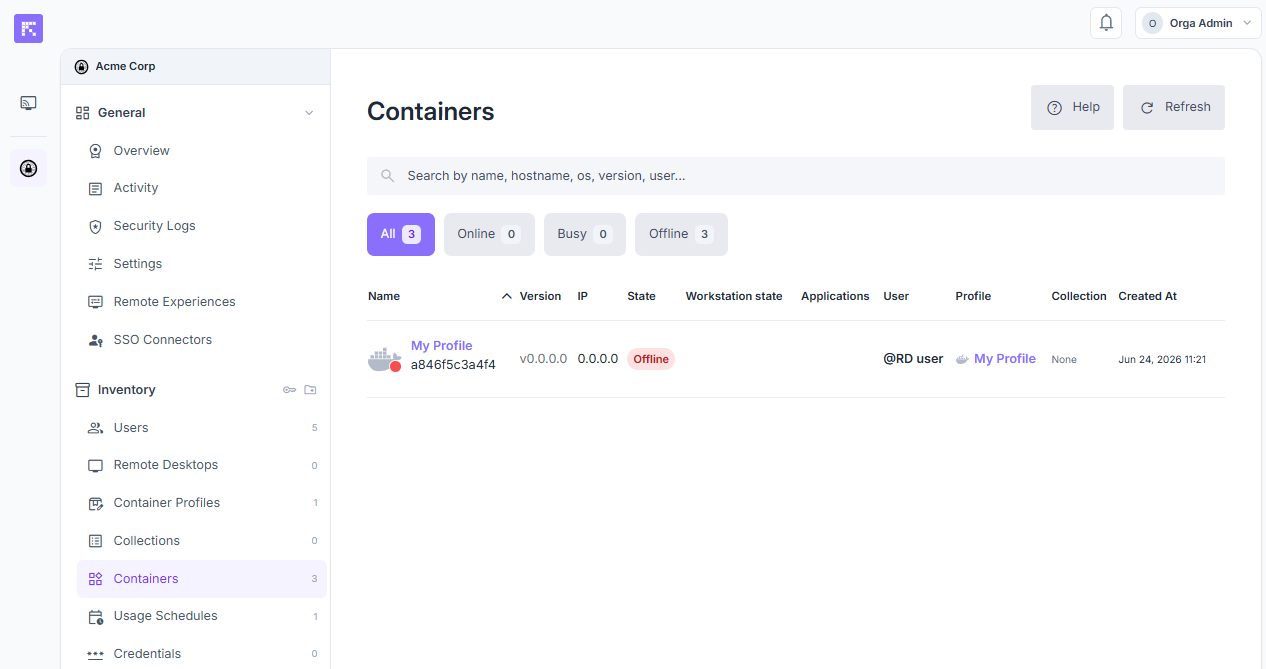
Overview of active or stopped containers.
Quick filters (All, Online, Busy, Offline) let you display only containers in a given state, with the matching count.
The columns display:
Name (with the container ID shown below it)
Version
IP
State (Online, Busy, Offline)
Workstation state
Applications
User
Profile
Collection
Created At
Container View
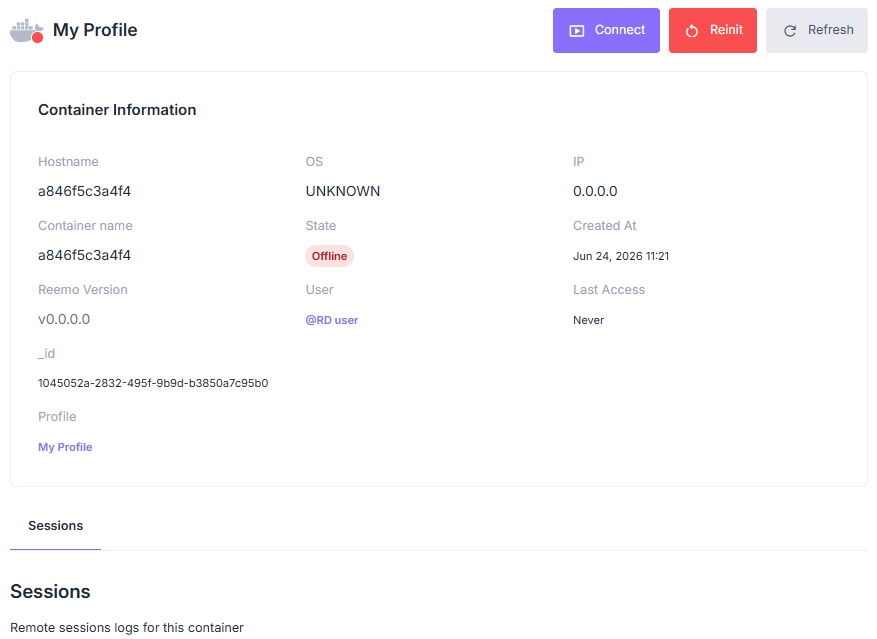
Container record.
A container record displays the following information:
Hostname: the container’s hostname.
Container name: the name given to the container.
Reemo Version: version of the Reemo agent installed in the container.
OS: the container’s operating system.
State: the container’s current state (Online, Busy, Offline).
User: the container’s owning user.
IP: the container’s IP address.
Created At: date and time the container was created.
Last Access: date and time of the last connection.
_id: unique technical identifier of the container.
Profile: the container profile this instance was created from.
Three actions are available at the top of the record:
Connect: opens a session on the container.
Reinit: restarts the container.
Refresh: refreshes the displayed information.
A Sessions tab lists the remote session logs for this container.
Assist a User in View-Only Mode
Note
This section is for organization administrators.
Click Connect on the record of a container in use to watch the user’s session and assist them, without taking control. The user can accept or decline your request. Without an answer, it is accepted automatically.
Before you start, make sure the Has Container Access option is checked on your account, in the Organization Access section of your user record (inventory_2 Inventory > group Users).
Open the record of a container whose user is connected.
Click Connect.
The user receives a notification and chooses Accept or Decline. If they do not answer, the request is accepted automatically after a short countdown.
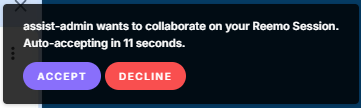
Notification displayed to the user, with the Accept and Decline buttons.
Once the request is accepted, you are connected directly in view-only mode: you can watch the session but not interact with it.
If the user declines the request, the connection fails with Error 564.
Note
The container must have been created or regenerated with the latest version of the Reemo agent. Otherwise, a message tells you that the container runs a Reemo version that cannot ask its user for approval. Restart it with an up-to-date image to assist its user.
See Also
Container Profiles: to create, configure (including placement constraints), and assign container profiles.
Configure File Transfer: to configure and use file transfer between a local machine and a container.
Collections: to group several container profiles and distribute them to a set of users.
Rights Review: to view which users and collections are linked to a container profile.