Manage Container Provider Schedules
This feature allows instance administrators to restrict the availability of a Container Provider to specific days and hours. When a schedule is assigned to a provider, it can only be used within the defined time slots.
Note
By default, a Container Provider has no schedule assigned (None (Unrestricted)),
meaning it is always available.
This complements the Usage Schedules feature available at the organization level, which controls when users and container profiles can access resources. Instance-level schedules act one step upstream: they limit when the provider itself is operational.
Managing Instance Schedules
To manage schedules at the instance level, navigate to verified_user Admin area > view_in_ar Containers & Workstations > calendar_clock Schedules.
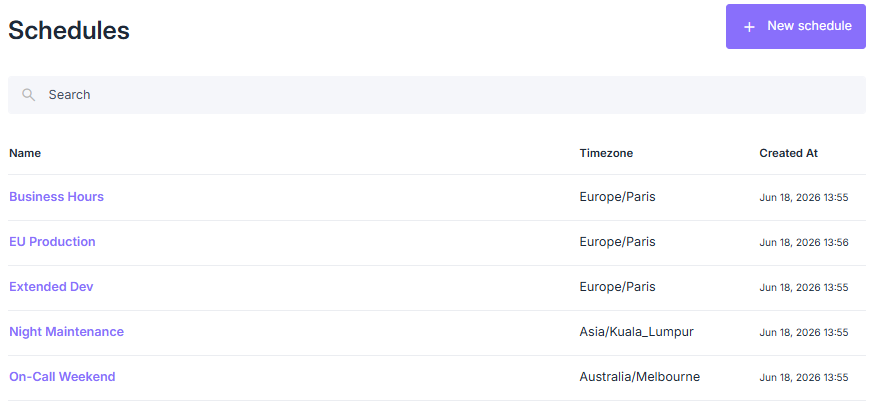
List of instance-level schedules
The creation workflow is identical to organization-level usage schedules. See Usage Schedules for the full reference.
Assigning a Schedule to a Provider
Navigate to verified_user Admin area > dns Container Providers and click the provider’s Name.
In the Container Provider Information block, locate the Usage Schedule field.
Click Change.
Select an existing schedule, then click Assign.
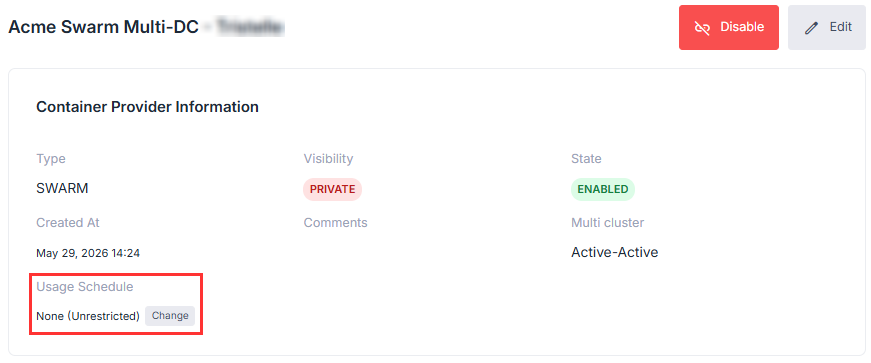
Location of the Usage Schedule field on a Container Provider profile
See also
Usage Schedules: to manage schedules at the organization level.
Configure Container Providers: for an overview of Container Providers.
Manage Provider Resources: to manage nodes, secrets, and images.