Bundled Terms of Service
You can import a custom HTML file to display your own Terms of Service inside the Reemo portal.
Note
This feature is available from the Enterprise plan.
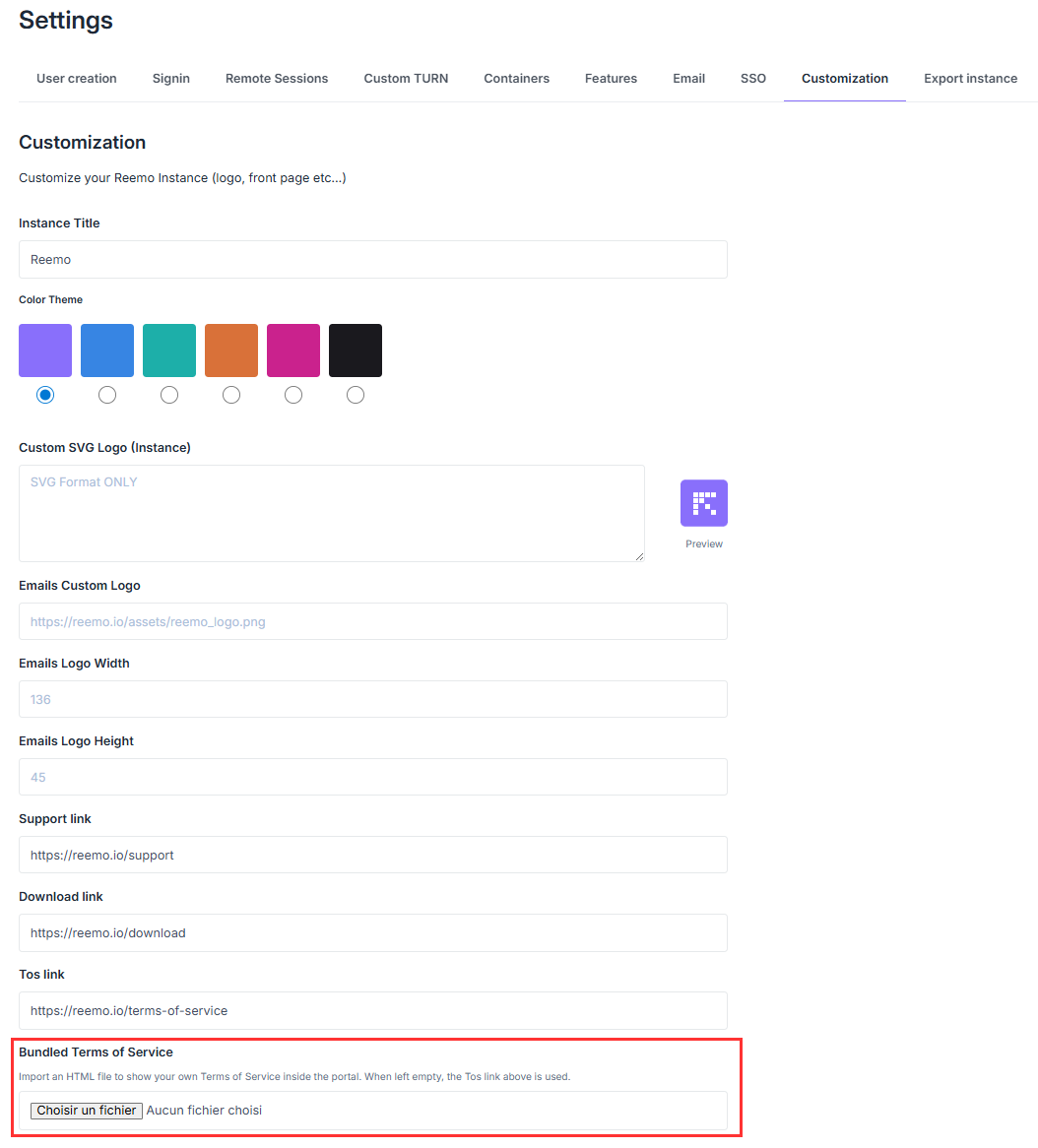
Bundled Terms of Service settings — Admin Area > System > Global Settings > Customization
On their first login, users see a modal dialog presenting both sets of terms with two buttons: Decline and Accept the Terms. Users must accept the Terms of Service to access the portal.
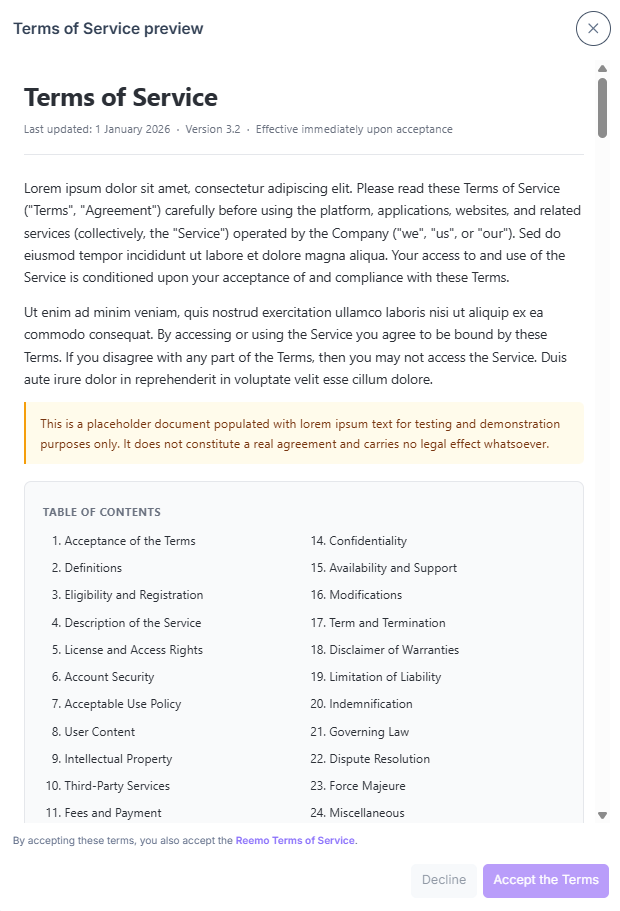
Terms of Service preview dialog
Note
Your Terms of Service are shown in addition to Reemo’s standard Terms of Service — they do not replace them.
Before you begin
Prepare an HTML file containing your organization’s Terms of Service.
Ensure you have instance administrator rights.
Upload your Terms of Service
Navigate to verified_user Admin Area > build System > settings Global Settings.
Open the Customization tab.
Scroll to the Bundled Terms of Service section.
Click Choose File and select your HTML file.
Click Preview to verify how the terms will appear to users.
Click Save at the bottom of the page to apply the changes.
Note
If no HTML file is uploaded, the system uses the link specified in the Tos link field (in the same Customization section) instead.