File Transfer
The File transfer tab of the Settings panel allows transferring files between the local machine and the remote machine (download and upload).
The tab displays the path of the dedicated transfer directory (for example, /Users/reemo/Reemo/Transfer), an Upload Files button, and the list of files already present.
Note
Configuration depends on the environment:
Classic machines: from your organization’s portal, enable file transfer in the machine settings (inventory_2 Inventory > tv Remote Desktops > Edit > Security).
Containers: enable file transfer in the container profile (see Profile Configuration).
Files in the dedicated transfer directory appear automatically in the list — uploaded files are saved there as well. Each entry displays the file’s size and creation time, and can be downloaded or permanently deleted using the ( ) button.
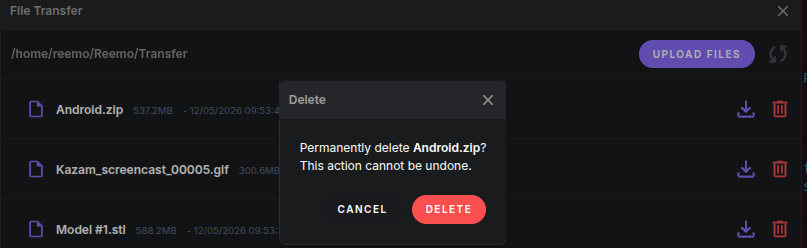
Delete confirmation dialog.
Back to the Settings panel overview.